





Kubernetes for Small Business: Is It the Right Choice?

by Tim
February 3, 2026
Is Kubernetes the right choice for a small business? Kubernetes, often shortened to K8s, is a system that helps manage and automate software deployment, scaling, and operations. While it’s known for its capabilities in large enterprises, small businesses might wonder if it’s a good fit for them too. This article explores the benefits, challenges, and alternatives of using Kubernetes for small businesses, providing insights to help business owners make informed decisions.
“`
Key Takeaways
- Kubernetes offers small businesses benefits like resource optimization, scalability, and improved deployment efficiency.
- Implementing Kubernetes can be complex, requiring technical expertise and potentially incurring training or hiring costs.
- Alternatives to Kubernetes, such as managed container services (AWS ECS, Google Cloud Run), PaaS solutions (Heroku), and serverless computing, offer simpler management at varying levels of flexibility.
- Small businesses should assess their technical skills, budget, and application requirements before adopting Kubernetes.
- Kubernetes simplifies Kubernetes management, offering features for monitoring, upgrades, and optimization.
Table of Contents
- Introduction: Kubernetes and the Small Business Arena
- Grasping Kubernetes: Core Concepts for Small Business Owners
- The Benefits of Kubernetes for Small Businesses: A Practical Perspective
- Challenges and Considerations: Is Kubernetes Right for Your Small Business?
- Alternatives to Kubernetes: Exploring Simpler Solutions
- Conclusion: Making an Informed Decision About Kubernetes
- Frequently Asked Questions
Introduction: Kubernetes and the Small Business Arena

Small businesses often struggle with growing their infrastructure while keeping costs and complexity under control. Managing more servers, applications, and increasing user traffic can become a real challenge. Kubernetes offers a way to automate the deployment, growing, and management of applications. It promises benefits like better resource utilization, faster deployment, and improved reliability.
This article explores whether Kubernetes is a good fit for small businesses. It looks at the advantages and disadvantages, and also discusses alternatives. The goal is to provide the information needed to make an informed decision.
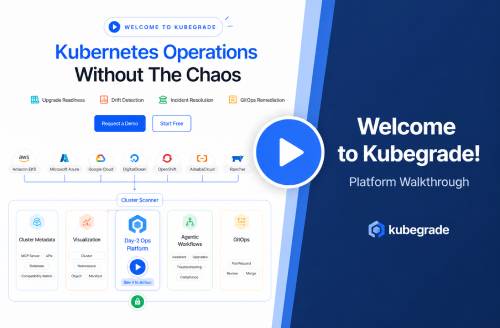
Kubegrade is a platform designed to simplify Kubernetes cluster management, offering features for monitoring, upgrades, and optimization. It helps businesses handle secure, growing, and automated K8s operations.
“`
Grasping Kubernetes: Core Concepts for Small Business Owners
To grasp if Kubernetes is right for your small business, it’s helpful to grasp a few core ideas. Think of Kubernetes as a system that helps manage and automate computer applications.
What is Containerization?
Imagine packing all the parts of your application?the code, the libraries, and everything else it needs?into a single box. This box is called a container. Containerization makes sure your application runs the same way everywhere, no matter the computer. It eliminates the “it works on my machine” problem.
Pods, Deployments, and Services
- Pods: A pod is like a single unit that contains one or more containers. It?s the smallest piece that Kubernetes manages.
- Deployments: Deployments tell Kubernetes how to create and update your application. If something goes wrong, deployments can automatically fix it.
- Services: Services are how users access your application. They provide a single point of contact, even if the application is running in multiple containers.
How Kubernetes Orchestrates
Kubernetes acts like a conductor of an orchestra, making sure all the parts work together smoothly. It automates tasks such as:
- Deployment: Rolling out new versions of your application.
- Scaling: Adding or removing containers based on demand.
- Management: Monitoring the health of your application and restarting containers if they fail.
For a small business, Kubernetes can automate many of the tasks involved in running applications, freeing up time to focus on other things. ‘Kubernetes for small business’ means simpler application management.
“`
Containerization: The Foundation of Kubernetes
Containerization is a way to package software so it can run anywhere. Think of it like shipping a product. The container includes everything the software needs: code, libraries, and settings.
What is a Container?
A container is a standard unit of software that packages up code and all its dependencies so the application runs quickly and reliably from one computing environment to another. Docker is a popular tool for creating and managing containers.
Containers vs. Virtual Machines
Unlike virtual machines (VMs), which include an entire operating system, containers share the host OS kernel. This makes containers lighter and faster to start.
Why Containerization Matters
Containerization ensures that your application runs the same way everywhere, regardless of the environment. This is important for application portability and consistency.
Small businesses often struggle with managing different environments (development, testing, production). Containerization solves this problem by providing a consistent environment for your applications.
Containerization simplifies the ‘Kubernetes for small business’ approach by providing a standard way to package and deploy applications.
“`
Pods, Deployments, and Services: The Building Blocks
Kubernetes uses specific components to manage applications. Here’s a simple breakdown:
What is a Pod?
Think of a pod as a single container or a small group of containers that work together. It’s the smallest unit in Kubernetes. A pod might contain your application code and any supporting software it needs.
How Deployments Manage Pods
A deployment manages multiple copies of your application (pods). It makes sure that if one pod fails, another one automatically takes its place. Imagine a deployment as a manager assuring your application is always available.
How Services Expose Applications
A service provides a single point of access to your application, even if it’s running in multiple pods. It’s like a receptionist directing traffic to the correct department. Services also enable communication between different parts of your application.
For small business owners, grasping pods, deployments, and services is key to automating application management with ‘Kubernetes for small business’. These components work together to assure your applications are always running and accessible.
“`
Orchestration: How Kubernetes Manages Your Applications
Kubernetes shines in its ability to orchestrate, or manage, containers automatically. This orchestration covers deploying, scaling, and self-healing applications.
Scheduling Pods Across Nodes
Kubernetes schedules pods (your application containers) across different nodes (servers) in your cluster. It finds the best place to run each pod based on resource needs and availability. It’s like a smart traffic controller for your applications.
High Availability and Fault Tolerance
If a node fails, Kubernetes automatically moves the pods running on that node to other healthy nodes. This makes sure your application stays available even if there are problems. Think of it as having a backup plan that kicks in automatically.
Scaling Based on Demand
Kubernetes can automatically scale your application based on traffic. If demand increases, it adds more pods. If demand decreases, it removes pods. This saves resources and money. For example, a small online store might need more resources during a sale. Kubernetes can automatically provide those resources.
For small businesses, Kubernetes orchestration saves time and increases efficiency by automating many of the tasks involved in running applications. Orchestration simplifies ‘Kubernetes for small business’ management, letting owners focus on their business, not on IT operations.
“`
The Benefits of Kubernetes for Small Businesses: A Practical Perspective

Kubernetes offers several advantages for small businesses looking to optimize their IT infrastructure. Here?s a look at some key benefits:
Cost Savings Through Resource Optimization
Kubernetes helps small businesses use their resources more efficiently. By packing more applications onto fewer servers, it reduces wasted resources. For example, a business might see a 20-30% reduction in infrastructure costs by using Kubernetes to optimize resource allocation. This is a significant advantage of ‘Kubernetes for small business’.
Improved Scalability and Availability
Kubernetes makes it easier to scale applications quickly to meet changing demand. It also improves availability by automatically restarting failed containers and routing traffic away from failing servers. This can result in a 99.9% uptime, which is critical for maintaining customer satisfaction.
Increased Efficiency in Deployment and Updates
Kubernetes automates the deployment and update process, reducing the time and effort required to release new versions of applications. This allows small businesses to respond more quickly to market changes and customer needs. Automated deployments can cut down deployment times by as much as 50%.
Improved Security Features
Kubernetes includes several security features, such as role-based access control and network policies, which help protect applications from unauthorized access. These features are especially important for small businesses that may not have dedicated security staff.
These benefits solve common pain points for small businesses, such as limited IT resources and the need to scale quickly. ‘Kubernetes for small business’ provides a way to achieve enterprise-level capabilities without enterprise-level costs.
“`
Cost Savings Through Resource Optimization
Kubernetes helps small businesses save money by making better use of their computing resources.
Efficiently Packing Containers
Kubernetes efficiently packs containers onto servers, maximizing the use of available resources. Instead of running one application per server, Kubernetes allows multiple containers to share the same server. This reduces the number of servers needed, lowering infrastructure costs.
Automatic Scaling Based on Demand
Kubernetes automatically scales resources based on demand. If an application needs more resources, Kubernetes adds more containers. If the application needs fewer resources, Kubernetes removes containers. This prevents resources from being wasted when they are not needed.
Reducing Wasted Resources
By efficiently packing containers and automatically scaling resources, Kubernetes reduces wasted resources and infrastructure costs. For example, a small business might save 20-30% on their cloud computing bill by using Kubernetes to optimize resource utilization.
This efficient resource utilization is a key part of the ‘Kubernetes for small business’ value proposition. It allows small businesses to achieve enterprise-level efficiency without enterprise-level spending.
“`
Improved Scalability and Availability
Kubernetes improves how well applications can grow and stay online, which is especially important for small businesses.
Scaling Applications Based on Traffic
Kubernetes lets applications quickly grow or shrink depending on how much traffic they are getting. If there’s a sudden surge in users, Kubernetes can automatically add more resources to handle the load. This assures the application remains responsive and doesn’t crash.
High Availability Through Self-Healing
Kubernetes keeps applications highly available through self-healing and automated failover. If a container fails, Kubernetes automatically restarts it. If a server goes down, Kubernetes moves the affected containers to other working servers. This reduces downtime and keeps the application running smoothly.
Minimizing Downtime
By scaling quickly and healing itself, Kubernetes minimizes downtime and improves the user experience. This is crucial for small businesses that can’t afford to lose customers due to unreliable applications.
Benefits During Peak Seasons
For example, an e-commerce store can use Kubernetes to handle increased traffic during the holiday season. The application can automatically scale up to handle the extra load, assuring customers have a smooth shopping experience.
Scalability is important in ‘Kubernetes for small business’ because it allows them to compete with larger companies without investing in expensive infrastructure.
“`
Increased Efficiency in Deployment and Updates
Kubernetes makes deploying and updating applications more efficient, saving small businesses time and effort.
Automating the Deployment Process
Kubernetes automates the process of deploying applications. Instead of manually deploying each application component, developers can define the desired state of the application, and Kubernetes takes care of the rest. This reduces the risk of human error and speeds up the deployment process.
Rolling Updates with Zero Downtime
Kubernetes enables rolling updates with zero downtime. This means that new versions of an application can be deployed without interrupting service to users. Kubernetes gradually replaces old containers with new containers, assuring that there is always a working version of the application available.
Simplified Version Control and Rollbacks
Kubernetes simplifies version control and rollbacks. If a new deployment causes problems, it’s easy to roll back to a previous version of the application. Kubernetes keeps a history of all deployments, making it easy to revert to a stable state.
Improved Developer Productivity
By automating deployments and updates, Kubernetes improves developer productivity. Developers can focus on writing code instead of spending time on deployment tasks. For example, a small development team might be able to release new features twice as often by using Kubernetes.
These efficiency gains are a key benefit of ‘Kubernetes for small business’. It allows small businesses to deliver new features and updates faster, giving them a competitive advantage.
“`
Improved Security Features
Kubernetes includes security features that help protect applications and data, which is especially important for small businesses.
Role-Based Access Control (RBAC)
Kubernetes provides role-based access control (RBAC), which allows administrators to control who has access to Kubernetes resources. RBAC helps prevent unauthorized users from making changes to the system or accessing sensitive data.
Network Policies to Isolate Applications
Kubernetes supports network policies, which allow administrators to isolate applications from each other. Network policies define which applications can communicate with each other, preventing attackers from moving laterally through the system.
Integration with Security Tools
Kubernetes integrates with security tools for vulnerability scanning and threat detection. These tools can automatically scan containers for known vulnerabilities and alert administrators to potential threats.
Meeting Compliance Requirements
These security features help small businesses meet compliance requirements, such as HIPAA and PCI DSS. By implementing strong security controls, small businesses can protect sensitive data and avoid costly fines.
The security benefits of ‘Kubernetes for small business’ are significant. It provides a secure platform for running applications, protecting them from cyber threats and helping businesses meet compliance requirements.
“`
Challenges and Considerations: Is Kubernetes Right for Your Small Business?
While Kubernetes offers many benefits, it’s not always the right choice for every small business. Here are some challenges and considerations to keep in mind:
Complexity of Initial Setup and Management
Setting up and managing Kubernetes can be complex, especially for those new to the technology. It requires a good grasp of networking, storage, and security. This complexity can be a barrier for small businesses with limited IT resources.
The Learning Curve
There’s a learning curve for development and operations teams. They need to learn how to containerize applications, deploy them to Kubernetes, and manage them over time. This can require significant training and effort.
Potential Costs
There can be costs associated with training or hiring Kubernetes experts. If your team doesn’t have the necessary skills, you may need to invest in training or hire someone who does. This can add to the overall cost of using Kubernetes.
Ongoing Maintenance and Monitoring
Kubernetes requires ongoing maintenance and monitoring to ensure that it’s running smoothly. This includes tasks such as patching security vulnerabilities, upgrading the Kubernetes cluster, and monitoring application performance. These tasks require time and expertise.
Assessing the Fit
Before adopting Kubernetes, it’s important to assess whether it’s a good fit for your small business. Consider the following factors:
- Technical Expertise: Does your team have the necessary skills to manage Kubernetes?
- Budget: Can you afford the costs associated with training or hiring Kubernetes experts?
- Application Requirements: Do your applications require the scalability and availability that Kubernetes provides?
‘Kubernetes for small business’ is not always the best choice. If your applications are simple and don’t require high scalability, other solutions may be more appropriate.
“`
Complexity of Initial Setup and Management
Setting up and managing a Kubernetes cluster can be complex, especially for small businesses with limited IT resources.
Initial Configuration
The initial configuration of Kubernetes components can be challenging. It involves setting up the control plane, configuring nodes, and establishing networking and storage. This requires a good grasp of Linux, networking, and security concepts. For example, setting up a basic Kubernetes cluster can take several days or even weeks for someone who is new to the technology.
Ongoing Management
The ongoing management of nodes, networking, and storage also requires time and effort. This includes tasks such as patching security vulnerabilities, upgrading the Kubernetes cluster, and monitoring resource utilization. These tasks can be time-consuming and require specialized expertise.
Troubleshooting and Debugging
Troubleshooting and debugging issues in Kubernetes can be difficult. It requires the ability to analyze logs, understand networking configurations, and diagnose problems with containerized applications. This can be a challenge for small businesses that don’t have dedicated IT staff.
This complexity can be a barrier to ‘Kubernetes for small business’ adoption. Small businesses need to carefully consider whether they have the resources and expertise to manage a Kubernetes cluster effectively.
“`
The Learning Curve for Development and Operations Teams
Kubernetes introduces a learning curve for both development and operations teams.
New Concepts and Tools
Teams need to learn new concepts and tools, such as pods, deployments, services, and namespaces. They also need to become familiar with tools like kubectl, the Kubernetes command-line interface. This can be a significant investment of time and effort.
Adapting Existing Workflows
Adapting existing workflows to Kubernetes can also be challenging. Teams may need to change how they build, test, and deploy applications. This can require significant changes to existing processes and tools.
Importance of Training and Documentation
Training and documentation are important for overcoming this learning curve. Teams need access to high-quality training materials and documentation to learn how to use Kubernetes effectively. This can include online courses, workshops, and internal training programs.
Overcoming the Learning Curve
To overcome this learning curve, consider the following:
- Start with a pilot project to gain experience with Kubernetes.
- Invest in training and documentation for your team.
- Seek help from the Kubernetes community.
- Consider using a managed Kubernetes service to simplify management.
Training is crucial for successful ‘Kubernetes for small business’ implementation. Without proper training, teams may struggle to use Kubernetes effectively, leading to frustration and wasted effort.
“`
Potential Costs Associated with Kubernetes
Adopting Kubernetes involves various costs beyond just the infrastructure itself.
Training or Hiring Experts
One significant cost is training existing staff or hiring Kubernetes experts. Skilled Kubernetes professionals command high salaries. Training can range from online courses to intensive workshops, each adding to the expense. This is a major consideration for small businesses.
Tools and Services
Monitoring and managing a Kubernetes cluster often requires specialized tools and services. These can include monitoring solutions, logging tools, and security services. These tools usually come with subscription fees, adding to the ongoing operational costs.
Migrating Existing Applications
Migrating existing applications to Kubernetes can also be expensive. It may involve refactoring code, containerizing applications, and updating deployment pipelines. This process can take significant time and effort, especially for complex applications.
Total Cost of Ownership
To understand the total cost of ownership, small businesses should consider all of these factors: infrastructure, training, tools, and migration. It’s important to create a detailed budget that includes both upfront and ongoing costs.
Budgeting for Kubernetes
When budgeting for ‘Kubernetes for small business’, consider starting with a pilot project to assess the costs and benefits. Also, explore managed Kubernetes services, which can reduce the operational overhead and associated costs.
“`
Assessing Whether Kubernetes Is Right for Your Business
Before getting into Kubernetes, small businesses should carefully assess their needs and resources.
Evaluating Technical Expertise and Resources
First, evaluate your team’s technical expertise. Does your team have experience with containerization, networking, and cloud computing? If not, you’ll need to invest in training or hire experts. Also, consider the time and resources required to manage a Kubernetes cluster.
Considering Application Requirements and Scalability Needs
Next, consider your application requirements. Do your applications require high scalability, availability, and fault tolerance? If so, Kubernetes may be a good fit. However, if your applications are simple and don’t require these features, other solutions may be more appropriate.
Comparing with Alternative Solutions
Compare Kubernetes with alternative solutions, such as traditional hosting, virtual machines, or Platform-as-a-Service (PaaS) offerings. Consider the costs, benefits, and difficulties of each option.
Thorough Evaluation
A thorough evaluation is important before making a decision. Consider starting with a pilot project to test Kubernetes in a limited environment. This will help you grasp the challenges and benefits of using Kubernetes in your specific context.
To determine if ‘Kubernetes for small business’ is the right choice, carefully evaluate your technical expertise, application requirements, and alternative solutions. This will help you make an informed decision that is in accordance with your business goals and resources.
“`
Alternatives to Kubernetes: Exploring Simpler Solutions

Kubernetes is strong, but it’s not the only option. Several alternatives might be a better fit for some small businesses.
Managed Container Services
Managed container services like AWS ECS (Elastic Container Service) and Google Cloud Run offer a simpler way to run containers. They handle much of the underlying infrastructure, reducing the management overhead. These services are often easier to set up and use than Kubernetes, but they may not offer the same level of flexibility.
Platform-as-a-Service (PaaS) Solutions
Platform-as-a-Service (PaaS) solutions like Heroku and DigitalOcean App Platform provide a complete platform for building, deploying, and managing applications. They abstract away much of the infrastructure, allowing developers to focus on writing code. PaaS solutions are typically very easy to use, but they may be more expensive than other options.
Serverless Computing
Serverless computing allows you to run code without managing servers. Services like AWS Lambda and Google Cloud Functions automatically scale your code based on demand. Serverless computing is very cost-effective for applications with infrequent or unpredictable traffic, but it may not be suitable for all types of applications.
Comparison
Here’s a comparison of these alternatives with Kubernetes:
- Kubernetes: Offers the most flexibility and control, but also the most complexity.
- Managed Container Services: A good balance between flexibility and ease of use.
- PaaS Solutions: The easiest to use, but may be more expensive and less flexible.
- Serverless Computing: Very cost-effective for certain types of applications, but may not be suitable for all workloads.
‘Kubernetes for small business’ is just one option among many. Small businesses should carefully consider their needs and resources before choosing a solution.
“`
Managed Container Services: AWS ECS and Google Cloud Run
AWS ECS (Elastic Container Service) and Google Cloud Run provide managed container services that simplify container deployment and management.
Key Features and Benefits
These services handle much of the underlying infrastructure, reducing the operational overhead. Key features include:
- Simplified container deployment
- Automatic scaling
- Load balancing
- Integration with other cloud services
The main benefit is reduced complexity compared to Kubernetes.
Simplifying Container Deployment and Management
Managed container services simplify container deployment and management by abstracting away much of the underlying infrastructure. You simply define your container image and the service takes care of the rest. This makes it easier to get started with containers and reduces the ongoing management burden.
Cost Considerations
Cost considerations vary depending on the service and usage patterns. AWS ECS offers both Fargate (serverless) and EC2 launch types, each with different pricing models. Google Cloud Run also offers a serverless pricing model. It’s important to carefully evaluate the pricing models and optimize resource utilization to minimize costs.
Comparison with Kubernetes
Compared to Kubernetes, managed container services offer less flexibility and control but are much easier to use. Kubernetes provides a rich set of features and allows you to customize every aspect of your cluster. However, this comes at the cost of increased complexity.
When They Are a Better Fit
A managed container service might be a better fit than ‘Kubernetes for small business’ when:
- You need a simpler solution with less management overhead.
- You don’t require the full flexibility and control of Kubernetes.
- You have limited IT resources and expertise.
“`
Platform-as-a-Service (PaaS) Solutions: Heroku and DigitalOcean App Platform
Platform-as-a-Service (PaaS) solutions like Heroku and DigitalOcean App Platform offer a simplified way to deploy and manage applications.
Key Features and Benefits
PaaS solutions abstract away much of the underlying infrastructure, allowing developers to focus on writing code. Key features include:
- Simplified deployment process
- Automatic scaling
- Built-in monitoring and logging
- Support for multiple programming languages and frameworks
The main benefit is ease of use compared to Kubernetes and managed container services.
Abstracting Away Infrastructure Management
PaaS solutions abstract away infrastructure management by handling tasks such as server provisioning, operating system updates, and security patching. You simply deploy your code and the platform takes care of the rest. This greatly reduces the operational overhead and allows developers to focus on building features.
Cost Considerations and Limitations
Cost considerations vary depending on the platform and usage patterns. PaaS solutions typically offer a range of pricing plans, from free tiers to enterprise-level plans. However, they can be more expensive than other options, especially for high-traffic applications. Also, PaaS solutions may have limitations in terms of customization and control.
Comparison with Kubernetes
Compared to Kubernetes, PaaS solutions offer much greater ease of use but less flexibility and control. Kubernetes provides a rich set of features and allows you to customize every aspect of your cluster. However, this comes at the cost of increased complexity.
When They Are Preferable
A PaaS solution might be preferable to ‘Kubernetes for small business’ when:
- You need a very easy-to-use solution with minimal management overhead.
- You don’t require the full flexibility and control of Kubernetes.
- You want to focus on writing code and not managing infrastructure.
“`
Serverless Computing: A Different Approach
Serverless computing offers a different approach to running applications, without managing servers.
What is Serverless Computing?
Serverless computing allows you to run code without provisioning or managing servers. You simply upload your code and the cloud provider automatically executes it in response to events. This eliminates the need to manage infrastructure and allows you to focus on writing code.
Benefits of Serverless
Key benefits of serverless computing include:
- Automatic scaling: The cloud provider automatically scales your code based on demand.
- Pay-per-use pricing: You only pay for the compute time your code consumes.
- Reduced operational overhead: You don’t have to manage servers, operating systems, or security patches.
Limitations of Serverless
Limitations of serverless computing include:
- Cold starts: The first time a function is invoked, it may experience a delay due to the time it takes to start the execution environment.
- Vendor lock-in: Serverless functions are typically tied to a specific cloud provider.
- Limited execution time: Serverless functions have a limited execution time, which may not be suitable for long-running tasks.
Comparison with Kubernetes
Compared to Kubernetes, serverless computing offers much lower operational overhead and can be more cost-effective for certain types of applications. However, it also provides less flexibility and control. Kubernetes allows you to customize every aspect of your cluster, while serverless computing abstracts away much of the underlying infrastructure.
When Serverless Is More Suitable
Serverless might be a more suitable option than ‘Kubernetes for small business’ when:
- You have applications with infrequent or unpredictable traffic.
- You want to minimize operational overhead and focus on writing code.
- You don’t require the full flexibility and control of Kubernetes.
“`
Conclusion: Making an Informed Decision About Kubernetes
This article has explored the benefits and challenges of using Kubernetes for small businesses. Kubernetes offers advantages like cost savings through resource optimization, improved scalability and availability, increased efficiency in deployment and updates, and improved security features.
However, it also presents challenges such as the complexity of initial setup and management, the learning curve for development and operations teams, and potential costs associated with training or hiring Kubernetes experts.
It’s important to carefully evaluate your specific needs and resources before making a decision. Consider your technical expertise, budget, application requirements, and scalability needs. Also, compare Kubernetes with alternative solutions like managed container services, PaaS solutions, and serverless computing.
Kubegrade simplifies Kubernetes management, offering features for monitoring, upgrades, and optimization. It can help businesses handle secure, growing, and automated K8s operations.
To make an informed choice about whether Kubernetes is right for your small business, explore further resources or contact Kubegrade for a consultation. Give yourself the knowledge to make the best decision for your organization.
“`

