

Kubernetes monitoring is important for maintaining the health and performance of containerized applications. As businesses adopt Kubernetes for its scalability and flexibility, managing and troubleshooting these applications becomes complex. Without proper monitoring, organizations risk system downtime, resource inefficiencies, and security vulnerabilities.
Effective Kubernetes monitoring allows teams to identify and resolve performance bottlenecks, reduce the risk of outages, and optimize resource allocation. It provides real-time insights into cluster performance, enabling quick issue resolution and improved application uptime. By tracking key metrics, logs, and events, teams gain the visibility needed to manage applications, increasing operational efficiency and reducing risks.
Key Takeaways
- Kubernetes monitoring is crucial for maintaining application performance, resource utilization, and security in complex, distributed environments.
- Key metrics to monitor include CPU usage, memory consumption, network traffic, disk I/O, and pod status to identify bottlenecks and performance issues.
- Open-source tools like Prometheus, Grafana, and the EFK stack offer robust monitoring capabilities but require configuration and management.
- Commercial platforms such as Datadog, New Relic, Dynatrace, and Sysdig provide comprehensive features, automated alerting, and dedicated support, but come at a cost.
- Implementing a monitoring strategy involves defining goals, selecting appropriate tools, configuring alerts, and establishing monitoring dashboards.
- Effective monitoring dashboards should include key metrics, clear labels, logical organization, and appropriate visualizations for easy identification of trends and anomalies.
- Kubegrade simplifies Kubernetes cluster management and monitoring by offering a platform for secure and automated K8s operations, including monitoring, upgrades, and optimization.
Table of Contents
Introduction to Kubernetes Monitoring
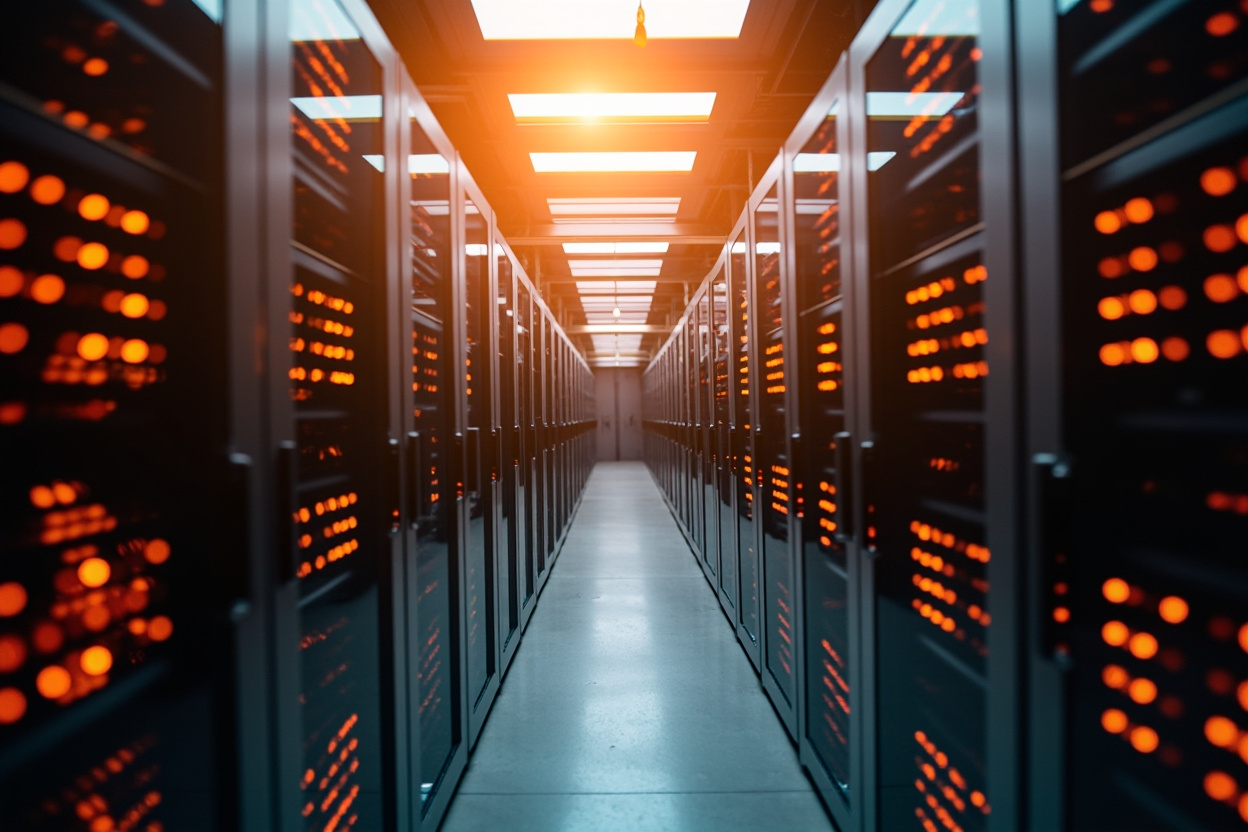
Kubernetes (K8s) has become a popular platform for deploying and managing applications. Its ability to automate deployment, scaling, and operations makes it suitable for modern application architectures.
Monitoring is important in Kubernetes environments. Kubernetes systems are distributed, which creates monitoring challenges. These challenges include tracking container health and identifying performance bottlenecks.
Kubernetes monitoring solutions are designed to address these challenges. They provide visibility into cluster health, performance, and availability. These solutions help teams ensure their applications run smoothly.
Kubegrade simplifies Kubernetes cluster management by offering a platform for secure and automated K8s operations. This includes monitoring, upgrades, and optimization.
Key Metrics for Kubernetes Monitoring
Monitoring key metrics is important for maintaining a healthy and efficient Kubernetes cluster. These metrics offer insights into resource utilization and application performance [1].
- CPU Usage: Tracking CPU usage at the pod and node level helps identify CPU-intensive workloads and potential resource contention. High CPU usage can indicate inefficient code or the need for more resources [2].
- Memory Consumption: Monitoring memory usage helps prevent out-of-memory errors and ensures applications have enough memory to operate. High memory consumption can point to memory leaks or inefficient memory management [2].
- Network Traffic: Monitoring network traffic helps identify network bottlenecks and latency issues. High network traffic can indicate network congestion or security threats [2].
- Disk I/O: Tracking disk I/O helps identify slow disk performance and potential storage issues. High disk I/O can slow down applications that rely on frequent disk access [2].
- Pod Status: Monitoring pod status ensures that all pods are running as expected. Failed or unhealthy pods can indicate deployment issues or application errors [2].
By monitoring these metrics, teams can identify bottlenecks and performance issues before they impact users. For example, high CPU usage on a particular node might indicate the need to redistribute pods or scale up the node [2]. Similarly, high memory consumption in a pod might require optimizing the application’s memory usage [2].
Kubegrade helps visualize and manage these metrics, providing a centralized view of cluster performance and health [3].
CPU Usage Monitoring
Monitoring CPU usage in Kubernetes pods and nodes is important for maintaining application performance. High CPU utilization can slow down applications and impact user experience [1].
When a pod or node experiences high CPU usage, it indicates that the system is working near its maximum capacity. This can lead to slower response times and, in some cases, application crashes [2].
To effectively monitor CPU usage, set up alerts for CPU usage thresholds. These alerts notify you when CPU usage exceeds a certain percentage, allowing you to address potential issues [2]. For example, you might set up an alert when CPU usage exceeds 80% [2].
To identify and resolve CPU bottlenecks, examine the processes consuming the most CPU resources. Optimize code, scale up resources, or redistribute workloads to reduce CPU usage [2].
Kubegrade can help visualize CPU usage trends, making it easier to identify patterns and anomalies [3].
Memory Consumption Monitoring
Monitoring memory consumption in Kubernetes is significant for application stability. Memory leaks and excessive memory usage can cause application crashes and degrade performance [1].
Memory leaks occur when an application fails to release memory that it no longer needs, leading to a gradual increase in memory usage over time [2]. Excessive memory usage can result from inefficient code or large data sets [2]. Both scenarios can exhaust available memory and cause applications to crash [2].
To prevent memory-related issues, set memory limits and requests for pods. Memory requests guarantee that a pod has a certain amount of memory available, while memory limits prevent a pod from consuming more memory than allocated [2]. Setting these parameters helps ensure fair resource allocation and prevents one pod from monopolizing memory resources [2].
Monitoring tools can help detect memory-related issues by tracking memory usage over time and identifying abnormal patterns. These tools can alert you when a pod’s memory usage exceeds a defined threshold, allowing you to investigate and resolve the issue [2].
Kubegrade assists in managing memory resources efficiently, providing insights into memory usage patterns and helping you optimize resource allocation [3].
Network Traffic Monitoring
Monitoring network traffic in Kubernetes clusters is important for maintaining application performance and reliability. Network latency and packet loss can significantly affect application performance [1].
Network latency refers to the time it takes for data to travel between two points in a network. High latency can slow down communication between services and impact application responsiveness [2]. Packet loss occurs when data packets fail to reach their destination, requiring retransmission and further slowing down communication [2].
Monitoring network policies and service mesh configurations helps ensure that network traffic is flowing as expected. Network policies control how pods communicate with each other, while service meshes provide advanced traffic management features such as load balancing and traffic routing [2].
To identify and resolve network bottlenecks, analyze network traffic patterns and identify sources of congestion. Tools like tcpdump and Wireshark can capture and analyze network traffic, helping you pinpoint the cause of network issues [2]. Solutions include optimizing network configurations, scaling network resources, or reconfiguring application traffic [2].
Kubegrade provides insights into network performance within the cluster, helping you identify and address network-related issues [3].
Disk I/O Monitoring
Monitoring disk I/O in Kubernetes is significant, especially for stateful applications. Slow disk I/O can negatively impact application performance [1].
Slow disk I/O can lead to delays in reading and writing data, which can slow down applications that rely on frequent disk access. This is particularly important for stateful applications, such as databases, which require consistent and fast disk performance [2].
To effectively monitor disk I/O, track disk usage and I/O operations, including read/write speeds and I/O latency. Monitoring tools can provide insights into disk performance and identify potential bottlenecks [2].
To identify and resolve disk I/O bottlenecks, examine disk usage patterns and identify processes that are consuming the most disk resources. Solutions include optimizing disk configurations, upgrading storage hardware, or redistributing workloads to reduce disk I/O [2].
Kubegrade helps optimize storage utilization and performance, providing insights into disk I/O metrics and helping you identify areas for improvement [3].
Open-Source Kubernetes Monitoring Tools

Several open-source tools are available for monitoring Kubernetes clusters. These tools offer a range of features and capabilities, allowing teams to gain visibility into their cluster’s performance and health [1].
Prometheus
Prometheus is a monitoring solution designed for collecting and processing time-series data [2]. It is effective at monitoring environments like Kubernetes, automatically discovering and monitoring services [2].
Features:
- Multi-dimensional data model
- PromQL, a flexible query language
- Service discovery
Benefits: Prometheus is efficient and suitable for large Kubernetes deployments [2].
Limitations: Requires configuration and management. Long-term storage can be challenging without additional tools [2].
Example: To monitor CPU usage, configure Prometheus to scrape metrics from cAdvisor, which exposes container resource usage [2]. Use PromQL to query and visualize CPU usage over time [2].
Grafana
Grafana is a data visualization tool that works well with Prometheus and other data sources [3]. It allows you to create dashboards and visualizations to monitor Kubernetes metrics [3].
Features:
- Dashboard creation
- Support for multiple data sources
- Alerting
Benefits: Grafana provides a user-friendly interface for visualizing Kubernetes metrics, making it easier to identify trends and anomalies [3].
Limitations: Requires a data source like Prometheus. Dashboard configuration can be time-consuming [3].
Example: Create a Grafana dashboard connected to Prometheus to visualize CPU usage, memory consumption, and network traffic. Set up alerts to notify you of performance issues [3].
Elasticsearch/Fluentd/Kibana (EFK) Stack
The EFK stack is a logging and monitoring solution that combines Elasticsearch, Fluentd, and Kibana [4]. Fluentd collects logs from Kubernetes pods, Elasticsearch stores the logs, and Kibana provides a user interface for searching and visualizing the logs [4].
Features:
- Centralized logging
- Log searching and analysis
- Data visualization
Benefits: EFK provides a comprehensive logging solution for Kubernetes, allowing you to troubleshoot issues and monitor application behavior [4].
Limitations: Can be complex to set up and manage. Requires significant resources for large deployments [4].
Example: Configure Fluentd to collect logs from all pods in your Kubernetes cluster. Use Kibana to search for error messages and visualize log patterns [4].
Comparison
- Ease of Use: Grafana is the easiest to use for visualization, while Prometheus and EFK require more configuration [3, 4].
- Scalability: Prometheus and EFK are suitable for large deployments, while Grafana relies on the scalability of its data source [2, 4].
- Community Support: All three tools have large and active communities, providing ample documentation and support [2, 3, 4].
Prometheus for Kubernetes Monitoring
Prometheus is a popular open-source monitoring solution widely used for Kubernetes environments. Its architecture, data model, and query language make it well-suited for monitoring containerized applications [1].
Architecture: Prometheus uses a pull-based model, where it scrapes metrics from configured targets. It stores the metrics as time-series data, with each data point associated with a timestamp and a set of labels [2].
Data Model: Prometheus’ data model is based on metrics, which are time-series data identified by a metric name and a set of key-value pairs called labels. Labels enable filtering and aggregating metrics [2].
Query Language (PromQL): PromQL is Prometheus’ query language, allowing you to select and aggregate metrics based on labels and time ranges. PromQL enables complex queries to analyze and visualize monitoring data [2].
Deployment with Prometheus Operator: The Prometheus Operator simplifies deploying and managing Prometheus in Kubernetes. It automates the creation and configuration of Prometheus instances using Kubernetes custom resources [3].
Configuration Examples:
- To scrape metrics from Kubernetes pods, define a
ServiceMonitorresource that specifies which services to monitor and how to scrape their metrics [3]. - To scrape metrics from Kubernetes nodes, configure Prometheus to scrape metrics from the
kubeletservice on each node [3].
Benefits:
- Efficiently collects and stores time-series data
- Flexible query language (PromQL)
- Automated service discovery
Limitations:
- Requires configuration and management
- Long-term storage requires additional tools
- Lacks built-in dashboarding capabilities
While Prometheus is a monitoring solution, it lacks built-in dashboarding capabilities. It is often paired with Grafana for visualization [3].
Grafana for Kubernetes Monitoring
Grafana is a data visualization tool that improves Kubernetes monitoring by providing a user-friendly interface for visualizing metrics collected by Prometheus and other sources [1].
To use Grafana with Prometheus, configure Prometheus as a data source in Grafana. This allows Grafana to query Prometheus and display its metrics in dashboards [2].
To create dashboards in Grafana, define panels that display specific metrics. Each panel can visualize data in various formats, such as graphs, tables, and gauges. Use PromQL queries to select the metrics you want to display [2].
Several pre-built Grafana dashboards are available for Kubernetes monitoring. These dashboards provide a starting point for monitoring cluster performance, with panels for CPU usage, memory consumption, network traffic, and pod status [2]. Examples include the “Kubernetes Cluster Monitoring” and “Kubernetes Node Monitoring” dashboards [2].
Benefits of using Grafana:
- Data Visualization: Grafana provides a range of visualization options, making it easier to identify trends and anomalies in Kubernetes metrics [2].
- Alerting: Grafana allows you to set up alerts based on metric thresholds. You can configure alerts to notify you via email, Slack, or other channels when a metric exceeds a certain value [2].
Grafana can integrate with other monitoring tools, such as Elasticsearch and Graphite, allowing you to visualize data from multiple sources in a single dashboard [1].
EFK Stack for Kubernetes Logging
The Elasticsearch/Fluentd/Kibana (EFK) stack is a solution for log aggregation and analysis in Kubernetes. It provides a centralized logging system that helps with troubleshooting and auditing applications [1].
To deploy Fluentd, use a DaemonSet to ensure that one Fluentd pod runs on each node in the cluster. Fluentd collects logs from all containers on the node and forwards them to Elasticsearch [2].
Configure Elasticsearch to store and index the logs received from Fluentd. Elasticsearch organizes the logs into indices based on time, making it easier to search and analyze logs from specific time periods [2].
Kibana provides a web interface for searching and visualizing the logs stored in Elasticsearch. You can use Kibana to create dashboards that display log patterns, error rates, and other metrics [2].
Benefits of using the EFK stack:
- Troubleshooting: EFK helps troubleshoot issues by providing a centralized view of logs from all pods in the cluster. You can search for error messages and identify the root cause of problems [2].
- Auditing: EFK enables auditing of Kubernetes applications by storing logs of all application activity. You can use these logs to track user activity, identify security threats, and ensure compliance with regulations [2].
Commercial Kubernetes Monitoring Platforms
Several commercial Kubernetes monitoring platforms offer comprehensive features and capabilities for managing cluster performance and health. These platforms provide advantages such as comprehensive dashboards, automated alerting, and dedicated support [1].
Datadog
Datadog offers monitoring, security, and analytics for cloud-scale applications. It provides dashboards, alerting, and integrations for Kubernetes [2].
Features:
- Real-time monitoring
- Automated threat detection
- Collaboration tools
Benefits: Datadog offers a wide range of features and integrations, making it suitable for organizations with complex monitoring needs [2].
Pricing: Datadog’s pricing is based on the number of hosts and the features used [2].
New Relic
New Relic is an observability platform that provides monitoring and analytics for applications and infrastructure. It offers dashboards, alerting, and AI- features for Kubernetes [3].
Features:
- Full-stack observability
- AI- feature
- Customizable dashboards
Benefits: New Relic offers a comprehensive observability solution with AI- capabilities, helping teams quickly identify and resolve issues [3].
Pricing: New Relic’s pricing is based on the number of users and the amount of data ingested [3].
Dynatrace
Dynatrace offers application performance monitoring, infrastructure monitoring, and digital experience monitoring. It provides automated discovery, AI-driven analytics, and full-stack visibility for Kubernetes [4].
Features:
- AI-driven analytics
- Automated discovery
- Full-stack visibility
Benefits: Dynatrace offers a solution with AI-driven insights, automating many aspects of monitoring and troubleshooting [4].
Pricing: Dynatrace’s pricing is based on the number of hosts and the features used [4].
Sysdig
Sysdig offers container security and visibility. It provides monitoring, threat detection, and compliance features for Kubernetes [5].
Features:
- Container security
- Threat detection
- Compliance features
Benefits: Sysdig offers a security-focused monitoring solution, helping teams protect their Kubernetes environments from threats [5].
Pricing: Sysdig’s pricing is based on the number of nodes and the features used [5].
Comparison
- Features: Datadog, New Relic, and Dynatrace offer a range of features, while Sysdig focuses on security [2, 3, 4, 5].
- Scalability: All four platforms are for large Kubernetes deployments [2, 3, 4, 5].
- Cost-Effectiveness: The cost-effectiveness of each platform depends on the specific needs of the organization. Datadog and New Relic offer flexible pricing models, while Dynatrace and Sysdig may be more expensive [2, 3, 4, 5].
Kubegrade offers simplicity and automation, making it accessible to teams that want a straightforward Kubernetes management experience [6].
Datadog for Kubernetes Monitoring
Datadog provides monitoring for Kubernetes, offering features for collecting metrics, logs, and traces. It integrates with Kubernetes to provide visibility into cluster performance and application health [1].
Features:
- Metrics: Datadog collects metrics from Kubernetes pods, nodes, and services, providing insights into resource utilization and performance [1].
- Logs: Datadog aggregates logs from Kubernetes containers, enabling centralized log management and analysis [1].
- Traces: Datadog supports distributed tracing, allowing you to track requests across services and identify performance bottlenecks [1].
Pricing: Datadog’s pricing is based on the number of hosts, containers, and custom metrics [2]. As cluster size increases, the cost of Datadog scales accordingly [2].
Strengths:
- Ease of Use: Datadog offers a user-friendly interface and automated setup, making it easy to get started with Kubernetes monitoring [1].
- Integrations: Datadog integrates with a wide range of services and platforms, providing a single pane of glass for monitoring your entire infrastructure [1].
- Support: Datadog offers dedicated support, providing assistance with setup, configuration, and troubleshooting [1].
Compared to Datadog, Kubegrade highlights simplicity, offering a straightforward Kubernetes management experience [3]. While Datadog provides a range of features, Kubegrade focuses on automating core Kubernetes operations [3].
New Relic for Kubernetes Monitoring
New Relic provides features for Kubernetes monitoring, offering application performance monitoring (APM) and the ability to monitor the entire stack, from infrastructure to applications [1].
Features:
- APM: New Relic offers APM capabilities, allowing you to monitor the performance of applications running in Kubernetes [1].
- Full-Stack Monitoring: New Relic monitors the entire stack, including infrastructure, applications, and services, providing visibility into the performance of all components [1].
Pricing: New Relic’s pricing is based on the number of users and the amount of data ingested. It offers a free tier with limited features and usage [2]. Its pricing structure is competitive with other commercial platforms [2].
Strengths:
- Full-Stack Observability: New Relic offers full-stack observability, providing a view of the performance of all components in your environment [1].
- AI- Insights: New Relic uses AI to identify performance issues and anomalies, helping teams quickly resolve problems [1].
Compared to New Relic, Kubegrade focuses on streamlined Kubernetes management [3]. While New Relic provides a comprehensive observability platform, Kubegrade offers a straightforward experience for managing Kubernetes clusters [3].
Dynatrace for Kubernetes Monitoring
Dynatrace offers a Kubernetes monitoring solution with AI- monitoring and automation capabilities. It provides full-stack visibility and insights into the performance of Kubernetes clusters and applications [1].
Features:
- AI- Monitoring: Dynatrace uses AI to automatically detect performance issues, identify root causes, and provide recommendations for optimization [1].
- Automation: Dynatrace automates many aspects of monitoring, including discovery, configuration, and alerting [1].
Pricing: Dynatrace’s pricing is based on host units, which are determined by the amount of resources consumed by the monitored hosts [2]. Its pricing model can be complex, but it offers a solution for organizations with large and complex environments [2].
Strengths:
- Automatic Discovery: Dynatrace automatically discovers and monitors all components in your environment, including Kubernetes pods, nodes, and services [1].
- Root Cause Analysis: Dynatrace identifies the root cause of performance issues, helping teams quickly resolve problems [1].
- Performance Optimization: Dynatrace provides recommendations for optimizing the performance of your Kubernetes applications [1].
Compared to Dynatrace, Kubegrade highlights ease of use and automation features [3]. While Dynatrace offers a solution with AI- capabilities, Kubegrade provides a straightforward experience for managing Kubernetes clusters [3].
Sysdig for Kubernetes Monitoring
Sysdig offers a Kubernetes security and monitoring platform, with features for container security, vulnerability management, and compliance. It provides visibility into container activity and helps teams secure their Kubernetes environments [1].
Features:
- Container Security: Sysdig offers container security features, such as runtime threat detection, vulnerability scanning, and image assurance [1].
- Vulnerability Management: Sysdig helps teams manage vulnerabilities in their container images and Kubernetes deployments [1].
- Compliance: Sysdig provides compliance features, such as policy enforcement and audit logging, helping teams meet regulatory requirements [1].
Pricing: Sysdig’s pricing is based on the number of nodes in the Kubernetes cluster [2]. As the number of nodes increases, the cost of Sysdig scales accordingly [2].
Strengths:
- Security Focus: Sysdig is focused on security, providing features to protect Kubernetes environments from threats [1].
- Deep Container Insights: Sysdig offers container insights, providing visibility into container activity and performance [1].
Compared to Sysdig, Kubegrade provides comprehensive Kubernetes management capabilities [3]. While Sysdig focuses on security and container insights, Kubegrade offers a straightforward experience for managing Kubernetes clusters [3].
Implementing a Kubernetes Monitoring Strategy

Implementing a Kubernetes monitoring strategy is important for the health, performance, and security of your applications. A well-defined strategy helps you identify and resolve issues before they impact users [1].
- Define Monitoring Goals: Determine what you want to achieve with monitoring. Common goals include tracking application performance, identifying resource bottlenecks, and detecting security threats [2].
- Select Appropriate Tools: Choose monitoring tools that meet your needs and budget. Consider open-source tools like Prometheus and Grafana, or commercial platforms like Datadog and New Relic [2].
- Configure Alerts: Set up alerts to notify you of potential issues. Define thresholds for key metrics and configure alerts to trigger when these thresholds are exceeded [2].
- Establish Monitoring Dashboards: Create dashboards to visualize key metrics and identify trends. Use dashboards to monitor cluster performance, application health, and security events [2].
Best Practices:
- Monitor key metrics, such as CPU usage, memory consumption, network traffic, and disk I/O [2].
- Use labels to organize and filter metrics [2].
- Set up alerts for critical events, such as pod failures and security breaches [2].
- Regularly review and update your monitoring configurations [2].
Optimization Tips:
- Use sampling to reduce the amount of data collected [2].
- Filter out irrelevant metrics [2].
- Optimize alert thresholds to reduce false positives [2].
Kubegrade can streamline the implementation of a monitoring strategy by providing a centralized platform for managing Kubernetes clusters [3]. It simplifies the configuration of monitoring tools and provides dashboards for visualizing key metrics [3].
Defining Your Kubernetes Monitoring Goals
Defining clear monitoring goals is important before implementing a Kubernetes monitoring strategy. Clear goals ensure that your monitoring efforts are focused and aligned with your business objectives [1].
Examples of Common Monitoring Goals:
- Application Availability: Ensure that your applications are available to users [2].
- Resource Utilization: Optimize the utilization of resources, such as CPU, memory, and storage [2].
- Security Threats: Detect security threats, such as unauthorized access and malicious activity [2].
To align your monitoring goals with your business objectives, consider the following:
- Identify the key performance indicators (KPIs) that are important to your business [2].
- Determine how Kubernetes impacts these KPIs [2].
- Define monitoring goals that help you track and improve these KPIs [2].
Kubegrade can help in setting and achieving these goals by providing a centralized platform for managing Kubernetes clusters [3]. It simplifies the configuration of monitoring tools and provides dashboards for visualizing key metrics, enabling you to track your progress in achieving your monitoring goals [3].
Selecting the Right Monitoring Tools
Selecting the right monitoring tools is important for implementing a Kubernetes monitoring strategy. Several factors to consider include open-source versus commercial solutions, feature requirements, scalability, and cost [1].
Open-Source vs. Commercial Solutions:
- Open-Source: Open-source tools, such as Prometheus and Grafana, offer flexibility and customization [2]. However, they may require more configuration and management [2].
- Commercial: Commercial solutions, such as Datadog and New Relic, offer features, automated setup, and dedicated support [2]. However, they can be more expensive [2].
Feature Requirements:
- Identify the features that are important to your organization. Requirements to consider include metrics collection, log aggregation, tracing, alerting, and dashboarding [2].
Scalability:
- Choose tools that can scale with your Kubernetes cluster. Consider the number of nodes, pods, and services that you need to monitor [2].
Cost:
- Consider the cost of the monitoring tools, including licensing fees, infrastructure costs, and operational expenses [2].
Decision-Making Framework:
- Define your monitoring goals [2].
- Identify your feature requirements [2].
- Evaluate open-source and commercial solutions [2].
- Consider scalability and cost [2].
- Choose the tools that best meet your needs and budget [2].
Kubegrade integrates with various monitoring tools to provide a unified view of cluster performance [3]. This allows you to use the tools that best meet your needs while maintaining a centralized view of your Kubernetes environment [3].
Configuring Alerts and Notifications
Configuring alerts and notifications is important to identify and respond to issues in Kubernetes clusters. Alerts notify you of potential problems, allowing you to take action before they impact users [1].
To set appropriate alert thresholds, define the metrics that are most important to your application and set thresholds based on historical data and performance requirements [2]. Consider setting different thresholds for warning and critical alerts [2].
Choose notification channels that are appropriate for your team. Common notification channels include email, Slack, and PagerDuty [2]. Ensure that notifications are sent to the people who can take action to resolve the issue [2].
Best Practices for Alert Fatigue:
- Prioritize Alerts: Focus on alerts that indicate critical issues [2].
- Tune Alert Thresholds: Adjust alert thresholds to reduce false positives [2].
- Aggregate Alerts: Group alerts to reduce the number of notifications [2].
- Use Runbooks: Create runbooks that provide guidance on how to respond to alerts [2].
Kubegrade simplifies the configuration of alerts and notifications for critical events [3]. It provides a interface for setting alert thresholds and configuring notification channels, helping you to identify and respond to issues in your Kubernetes clusters [3].
Creating Effective Monitoring Dashboards
Creating effective monitoring dashboards is important for visualizing Kubernetes cluster performance and health. Dashboards provide a view of key metrics, allowing you to identify trends, anomalies, and potential issues [1].
Key Metrics to Include:
- CPU Usage: Track CPU usage at the pod and node level [2].
- Memory Consumption: Monitor memory usage to prevent out-of-memory errors [2].
- Network Traffic: Monitor network traffic to identify bottlenecks and latency issues [2].
- Disk I/O: Track disk I/O to identify slow disk performance [2].
- Pod Status: Monitor pod status to ensure that all pods are running as expected [2].
Best Practices for Dashboard Design and Usability:
- Use clear and concise labels [2].
- Organize metrics into logical groups [2].
- Use visualizations that are appropriate for the data [2].
- Provide context and annotations [2].
- Keep dashboards up-to-date [2].
Kubegrade provides pre-built dashboards and customizable views for monitoring Kubernetes clusters [3]. These dashboards provide a starting point for monitoring your environment and can be customized to meet your needs [3].
Conclusion
Kubernetes monitoring is important for maintaining cluster health and performance. A monitoring strategy helps ensure that applications are available, resources are utilized effectively, and issues are resolved quickly [1].
Using Kubernetes monitoring solutions improves availability, speeds up troubleshooting, and optimizes resource utilization. These solutions provide visibility into cluster performance, allowing teams to identify and resolve issues before they impact users [2].
Kubegrade simplifies Kubernetes cluster management and monitoring, providing a platform for managing and monitoring Kubernetes environments [3].
Taking steps to implement a monitoring strategy for Kubernetes environments ensures that applications are running smoothly and efficiently [1].
Frequently Asked Questions
- What are the key metrics to monitor in a Kubernetes cluster?
- Key metrics to monitor in a Kubernetes cluster include CPU and memory usage, node health, pod status, and network traffic. Monitoring these metrics helps ensure that resources are being utilized efficiently, identifies potential bottlenecks, and provides insights into the overall health of the cluster. Additionally, metrics like request latency, error rates, and disk I/O can be crucial for troubleshooting and optimizing application performance.
- How do commercial Kubernetes monitoring solutions compare to open-source tools?
- Commercial Kubernetes monitoring solutions often provide more robust features, user-friendly interfaces, and dedicated customer support compared to open-source tools. They may offer advanced analytics, automated alerts, and integrations with other enterprise systems. However, open-source tools can be more flexible and cost-effective, allowing users to customize their monitoring setups according to specific needs. The choice between the two depends on factors like budget, team expertise, and specific monitoring requirements.
- What are some common challenges faced while monitoring Kubernetes clusters?
- Common challenges in monitoring Kubernetes clusters include the dynamic nature of containers and microservices, which can make it difficult to track resource utilization consistently. Additionally, managing the sheer volume of data generated can be overwhelming without the right tools. Issues with visibility across multiple clusters and environments can also pose challenges, particularly for organizations using hybrid or multi-cloud strategies. Implementing centralized logging and monitoring solutions can help mitigate these challenges.
- How can I troubleshoot performance issues in my Kubernetes cluster?
- To troubleshoot performance issues in a Kubernetes cluster, start by examining key metrics such as CPU and memory usage, pod health, and network performance. Tools like Prometheus and Grafana can help visualize these metrics. Check for resource limits and requests defined for your pods, as misconfigurations can lead to throttling. Inspect logs for error messages and warnings that may indicate underlying issues. Additionally, consider utilizing distributed tracing tools to identify latency bottlenecks in microservices interactions.
- What are the benefits of using a centralized monitoring solution for Kubernetes?
- A centralized monitoring solution for Kubernetes offers several benefits, including improved visibility across all clusters and environments, streamlined data collection, and easier management of alerts and dashboards. It allows for more effective tracking of performance metrics and faster identification of issues. Centralized solutions can also facilitate compliance and reporting by aggregating data in one place, making it easier for teams to analyze trends and make informed decisions regarding resource allocation and scaling.